Approve one design first
Settle the front view before requesting more angles. Identify the silhouette, palette, outfit layers, and signature accessories. A simple neutral pose makes the design easier to inspect.
Create face, outfit, and character views for your VTuber reference. Review the artwork before model production.
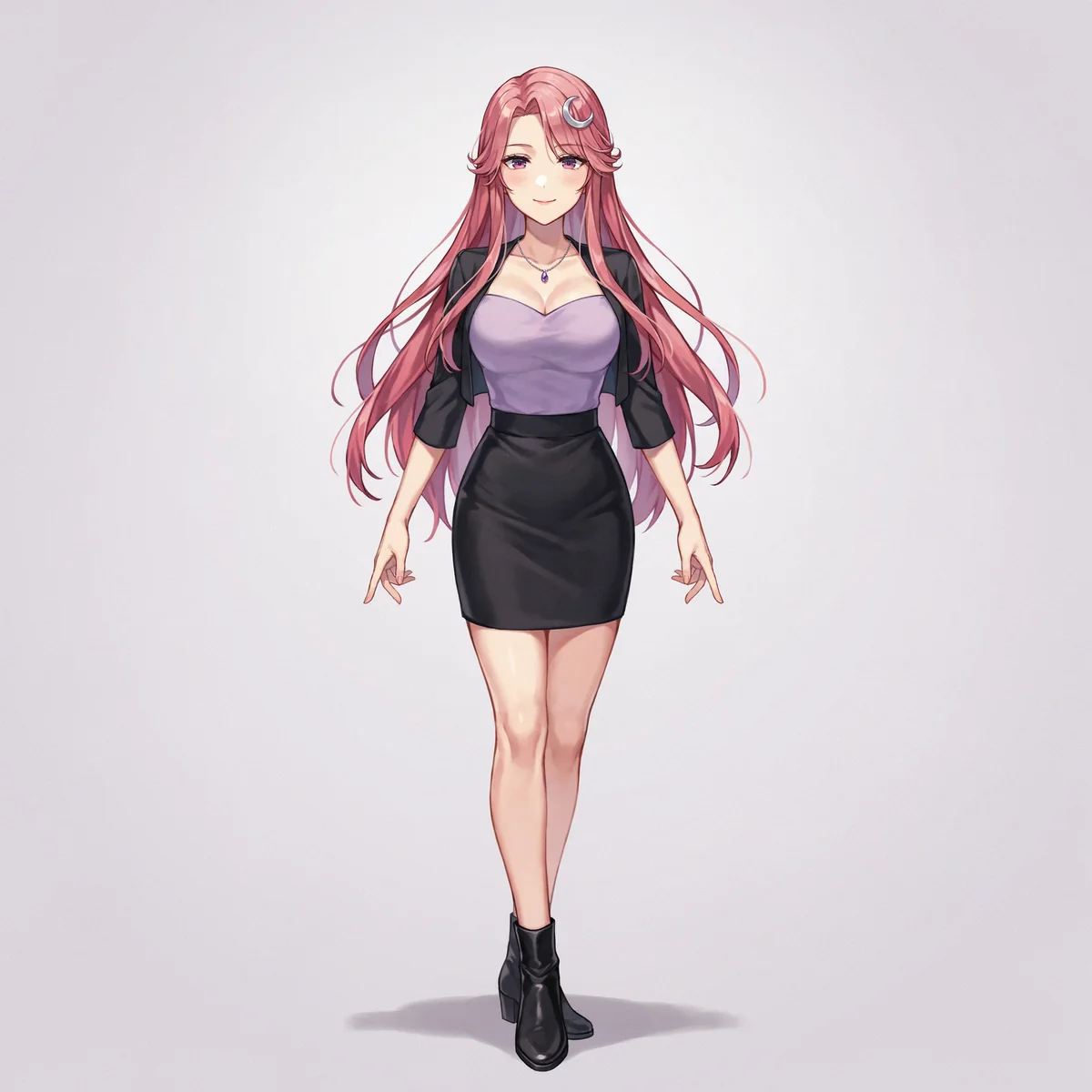
Real output. A repeatable starting point.
We created this rose-haired character in DreamLayer, then used the full-body design as the reference for a back view and a close portrait. These are separate images, arranged for comparison. Check outfit details and proportions across views before assembling your final sheet.
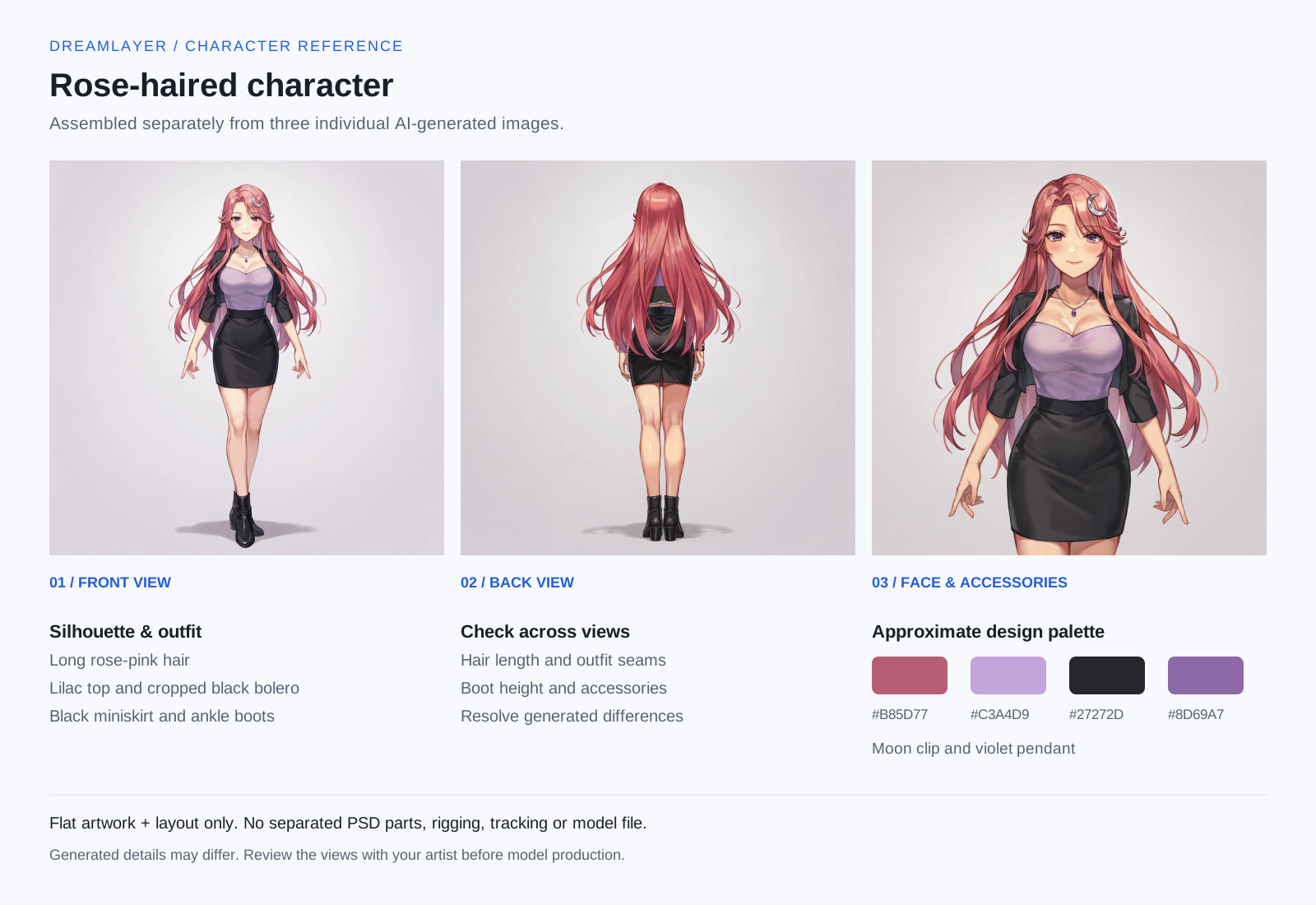
We arranged three individual DreamLayer images with design notes and an approximate palette. This is a flat example layout, not a one-click sheet export or a rigged model.
Download the assembled example (SVG) ↓Establish the outfit silhouette, main colors, footwear, and accessories.
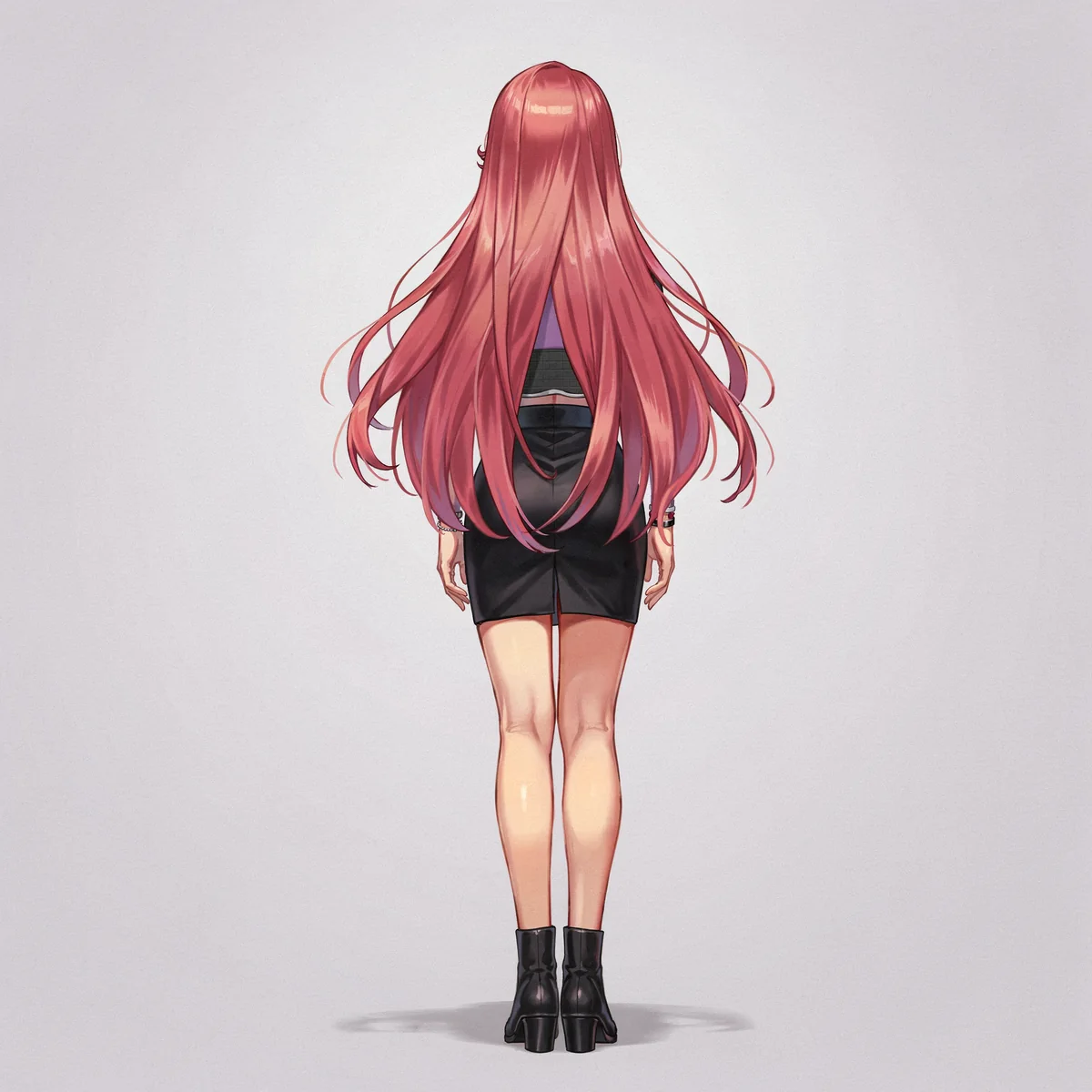
A reference-guided view explores the back of the outfit. Compare the hair, silhouette, and clothing details before finalizing the design.
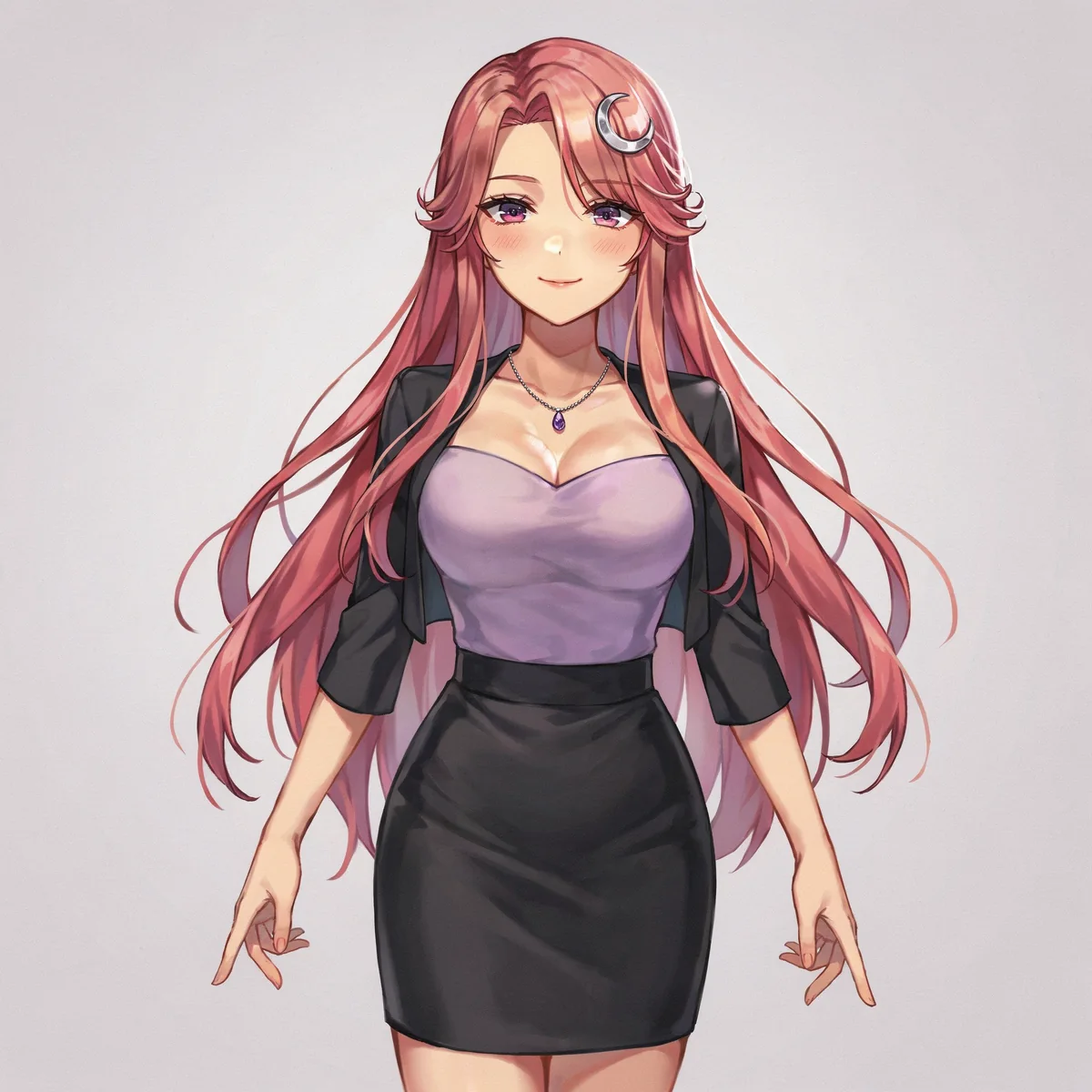
Keep a close view of the face and important accessories alongside the full-body art.
Generated examples, not a guarantee of identical results. Reference edits can change small details; inspect each image before using it.
Create your VTuber referenceFrom idea to image
Write the appearance, outfit, style, and framing above. Add a PNG, JPG, or WebP reference up to 20 MB if you have one.
Continue and sign in if needed. Review the prompt and reference in the workspace. Continuing from this page does not spend credits.
Generate with App credits. Review the finished image, make a focused edit if needed, and download your result. Reuse an approved image as your next reference.
Make a better first request
Describe what matters most, then give yourself room to refine.
Settle the front view before requesting more angles. Identify the silhouette, palette, outfit layers, and signature accessories. A simple neutral pose makes the design easier to inspect.
A generated back view can invent a fastening or change the hairstyle. Compare it with the front and write down the intended design. Do not hand off conflicting details as if they were final specifications.
Arrange approved views and close-ups in a separate layout tool. Add your own color labels and notes. Ask the model artist what resolution, angles, expressions, and separated parts they need before commissioning production.
Create an original adult VTuber character reference with long rose-pink hair, violet eyes, a silver crescent-moon hair clip, a lilac sweetheart top, cropped black bolero, fitted black miniskirt and ankle boots. Full-body front view, plain lavender background, no text.
Use my approved full-body reference. Show the same character from directly behind, keeping the hair length, bolero, miniskirt, colors and footwear consistent. Entire character visible, plain background, no labels.
Use my character reference for a close portrait showing the face, hair accessory and pendant clearly. Preserve the existing design. Neutral expression, plain background, no text.
For the next production step, see Live2D’s guide to preparing illustration parts ↗.
What you take away
You receive flat reference images, downloaded individually. A sheet layout is assembled separately. These images are not a layered PSD, Live2D model, VRM file, rig, or tracking setup. Preparing and animating a working model is a separate production step.
Use references you have permission to use. Review the terms before publishing or selling your work.
DreamLayer App subscription
Renews monthly. Monthly credits expire each billing month and do not roll over. Credit use varies by task; a pack is not a fixed number of images.
Prefer a one-off pack? 30 credits cost $10.50 USD and never expire.
Sign in if needed, then review your subscription in Stripe.
Compare App packs →Before you create
A clear full-body design, useful front and back views, face details, color notes, and important accessories help explain the character. The exact requirements depend on your illustrator or model artist, so agree on them before production.
This page creates reference artwork. It does not deliver rigging, tracking, a VRM file, or an import-ready Live2D model. Those require a separate model-production workflow.
No. Generated images are flat artwork. A Live2D workflow generally needs illustration parts prepared and separated for movement. A flattened image should not be presented as an already prepared model file.
Use an approved image as a reference and request one view at a time. Compare hair, clothing, accessories, and proportions carefully. The character turnaround tool provides a dedicated front, side, and back workflow.
You can use it to communicate your intended design, subject to the applicable terms and permissions. Tell the artist that the references are AI-generated, confirm that they accept this material, and agree on the final deliverables with them.
These tools are for non-explicit character artwork. Explicit sexual content is not supported. Keep your prompts and reference images non-explicit.
Start with your idea